The game world went completely blank, and the headless build looked perfect
Before the bug, the news: we are making a game. It is a side-scrolling action game, working title Ruins of Tomorrow, and there is a page for it here with an honest list of what is built and what is not. It is the first thing we have made that is not a small utility app, and it has been teaching us new ways to lose an afternoon.
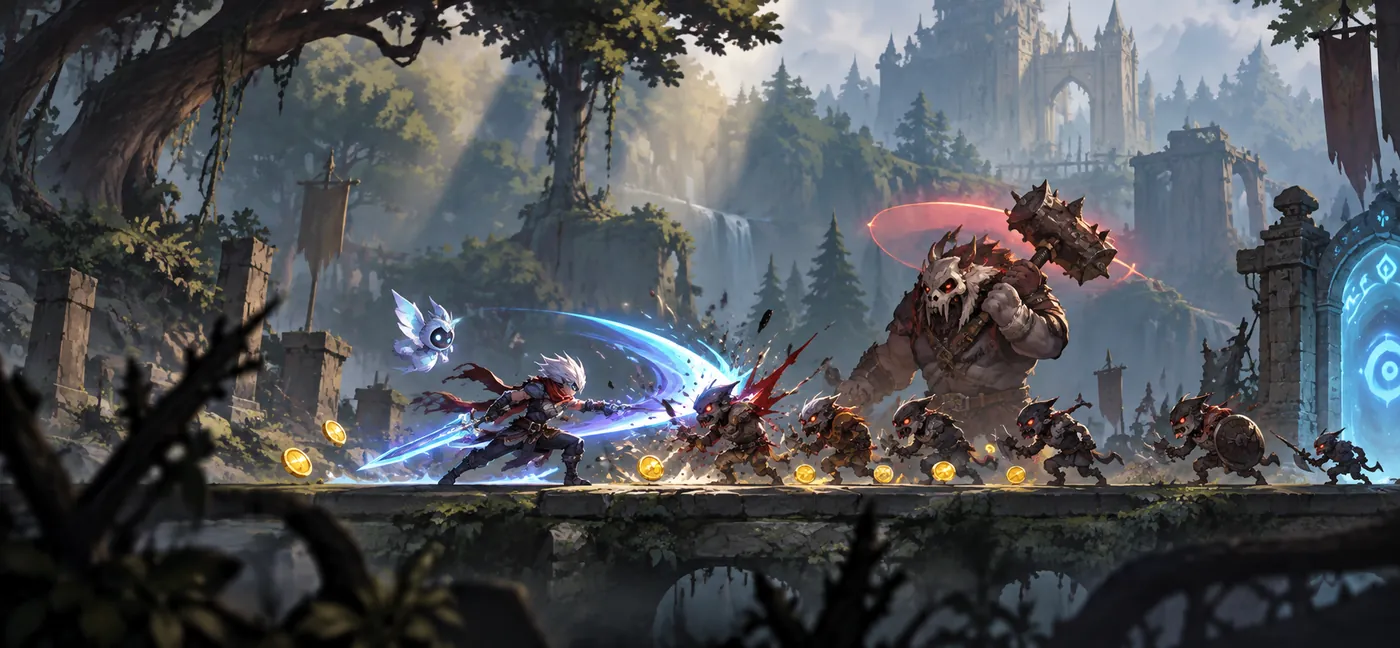
Here is the best one so far.
The symptom
Open the project. Press Play. The world is gone.
Not "the world is wrong" — gone. A flat dark rectangle where the forest should be. No ground, no trees, no bridge, no props. The HUD drew fine. The player character drew fine. The enemies drew fine. Everything else — every piece of scenery in the scene — rendered as nothing at all.
The console was clean. Not one warning.
This is what that screen is supposed to look like — the same scene, the same commit, once the editor could see its own sorting layers again:
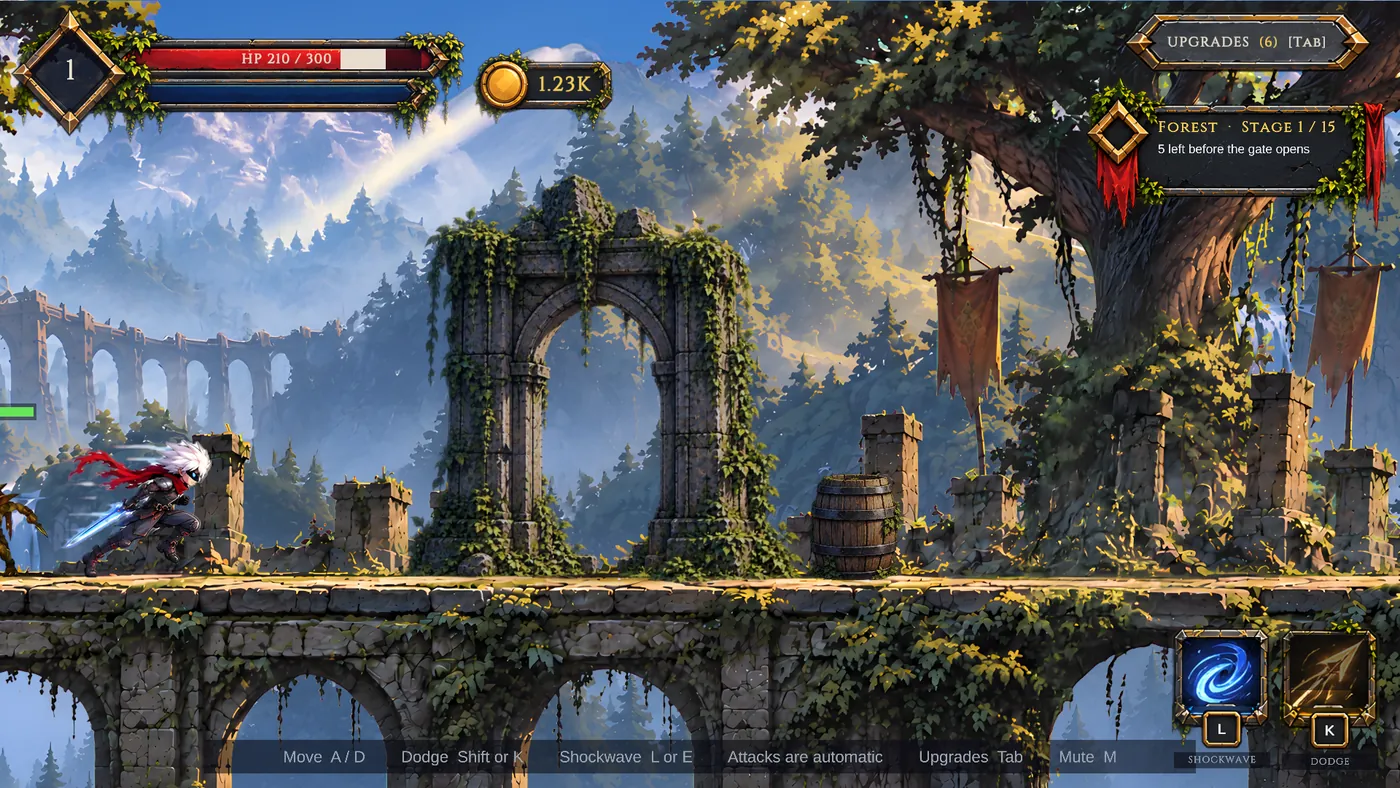
And the part that made it genuinely confusing: the same project, same commit, run headlessly in batch mode, rendered the whole world correctly. We have a test that plays the game with no editor attached and captures what the camera sees. That capture was perfect. Trees, ground, bridge, all of it.
So we had a scene that was correct by every automated measure and blank in front of our eyes.
What was not wrong
Worth listing, because this is where the afternoon went:
- Not the camera. Position, orthographic size, near and far planes, culling
mask — all correct, and the characters it was drawing proved it was pointed at the right place.
- Not missing sprites. Every
SpriteRendererhad its sprite reference
intact. None of them were the dreaded serialised None.
- Not scale or Z. Nothing had collapsed to zero or wandered behind the
camera.
- Not the materials. The materials were assigned and the shaders compiled.
Every individual thing checked out. That is the shape of this class of bug: each part is fine and the combination is not.
The measurement that cracked it
We have a small editor tool that dumps what the renderer actually holds — every SpriteRenderer with its sprite, texture, bounds, sorting layer and visibility — two seconds into every Play session. Not what the inspector shows. What the running renderer holds.
The dump came back with every scenery renderer reporting its sorting layer as <unknown layer>.
Not Ground. Not Props_Back. Unknown. The layers existed in the project — we could see them in the Tags and Layers window, we could read them in the file — and the renderer had never heard of them.
The cause
Unity reads ProjectSettings/TagManager.asset once, at editor startup.
That file holds the tags, the physics layers and, at the bottom, the sorting layers:
  m_SortingLayers:
  - name: Default
    uniqueID: 0
    locked: 0
  - name: Sky
  ...
If that file gains sorting layers while the editor is running — because a migration script wrote them, because you pulled a branch, because a package installed them — the open editor does not notice. The names are on disk. They are not in memory. Every renderer that asks for one falls through to an unknown layer.
In the old built-in renderer you would mostly get away with it: the sprites would draw, in a scrambled order, and you would spend your afternoon on a sorting problem instead. Under URP's 2D renderer you get nothing, because a Sprite-Lit renderer on an unknown layer has no light set to belong to, and a sprite lit by no lights is a sprite that is not drawn.
That is also exactly why our custom-shader characters kept rendering and the scenery did not. They were not Sprite-Lit. They never asked.
And it is why batch mode was perfect. A headless run starts a fresh editor process, which reads TagManager.asset on the way up and has every layer it needs. The automation was never going to catch this. The automation was structurally incapable of catching it.
The fix
Quit Unity. Reopen the project.
That is the entire fix, and as far as we can tell it is the only one. The sorting layer table is built when the process starts, and nothing we reached for from inside the running editor put the new names into it — the asset was already correct on disk, so there was nothing left for a reimport or a scene reload to pick up. Reopening the project takes fifteen seconds. Working out that reopening the project is the answer took considerably longer.
The guard, so it never costs an afternoon again
A restart is a cheap fix. Discovering that a restart is the fix is the expensive part, so we made the project say it out loud. This runs when you press Play and checks that a layer we know we added is actually in memory:
// The editor reads ProjectSettings/TagManager.asset only at startup. If the
// file gains sorting layers while the editor is open, every renderer falls to
// an unknown layer and URP 2D draws none of the lit sprites — the world goes
// blank while custom-shader characters still show. Only a restart fixes it.
private static void WarnIfSortingLayersNotLoaded()
{
    foreach (SortingLayer layer in SortingLayer.layers)
    {
        if (layer.name == "Ground")
            return;
    }
    Debug.LogError("[Side Scroller] This editor has not loaded the project's "
        + "sorting layers, so the world will not draw. Quit Unity and reopen "
        + "the project.");
}
Hook it to EditorApplication.playModeStateChanged on ExitingEditMode and it fires before the blank screen rather than after it.
How to tell in ten seconds
Next time a 2D Unity scene renders nothing and you cannot find a reason, do not start with the camera. Ask the renderer what layer it thinks it is on:
foreach (var l in SortingLayer.layers) Debug.Log(l.name + " " + l.id);If that list is shorter than the list in your Tags and Layers window, you are not looking at a rendering bug. You are looking at a stale process, and the fix is not in your code.
The general lesson
The thing that finally solved this was not a better theory. It was a dump of what the renderer actually held, printed from inside a running frame. Every inspector, every settings window and every file on disk agreed the layers were there, because all three of them read the file. Only the running renderer knew the truth, and only because we asked it directly.
When the editor and the automation disagree, the interesting question is not which one is right. It is what is different about the two processes — and the answer here, "one of them started after the file changed," was sitting in plain sight the whole time.
What we make when we are not making a game
Tiny HabitsOne small habit at a time, and a plant that grows when you keep it On the App Store → Focus TimerFinish a session, raise a building On the App Store →Comments
No account needed — pick any name and say your piece.
Nothing here yet. Be the first.