Building a 32-second AI construction timelapse for Instagram — what $4.77 and four days taught us
We run a heritage-transformation channel on Instagram called satizzzfyingg (~30k followers). Its best videos show a place being built — cracked earth to a temple — and until now they were made by hand: stills in Gemini, motion in Kling's web app, assembly in Premiere. This week we made one end to end from a script: Borobudur, the largest Buddhist temple on Earth, from virgin forest to finished monument in 32 seconds. Model spend: $4.77. Time: about four days, most of it on problems that had nothing to do with generating pixels.
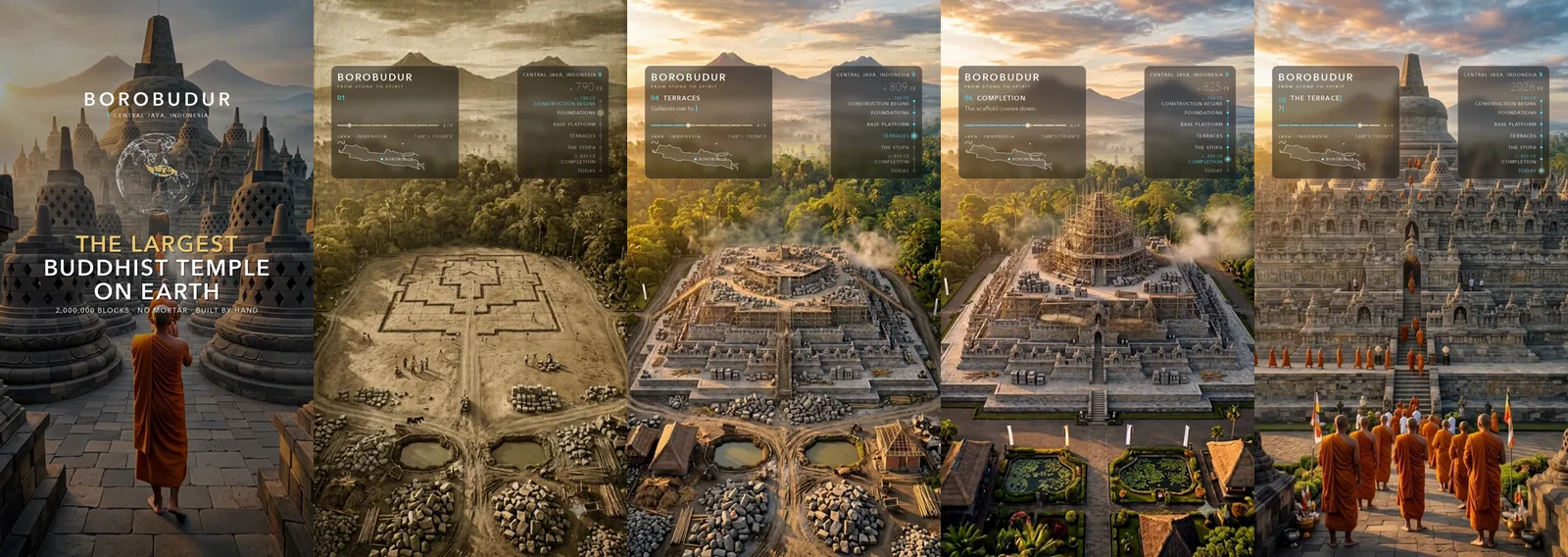
Here is what we would tell ourselves on day one.
1. Don't ask an image model to build something in stages
The obvious pipeline is: generate the finished building, then edit it backwards — remove the dome, remove the terraces, remove the platform — and play the frames in reverse so it assembles itself. We tried it on the Taj Mahal first. Every edit redraws the whole frame with no memory of geometry, so over twelve beats the minarets wander, the dome half-appears, the scaffolding lands where the building isn't. A symmetrical monument with four minarets, a drum and two flanking buildings has too many parts to keep registered. Abandoned after $2.60.
What worked was not automating the stills at all. The stills for Borobudur were made by hand in a single multi-turn Gemini conversation, where the model keeps the composition in context; we measured a skyline drift of 3.9 luma across eleven frames, versus visible un-building in the chained version. The pipeline's job became motion, sound, graphics and assembly — the parts a script is good at.
2. Bound every clip with two approved frames, and validate one before you queue nine
Kling v3 takes a start image and an end image. Give it both and a clip cannot drift: it is pinned at both ends by frames you have already approved. Every transition in the video is one of those.
The expensive lesson came on an earlier video: we changed the stills, looked at a contact sheet, and queued all nine clips — $3.06 — without rendering a single one from the new stills. The result was unusable. Stills do not validate motion. Render one clip, watch it, then spend the rest.
3. Duration is about object count, not importance
A transition where a hundred labourers appear smeared at three seconds and was still smeared at five. Time did not fix it; the number of independent things being created did. Budget seconds by how many objects must come into existence, and if the count is high, generate a middle still and split the transition in two — a $0.04 image buys what no prompt wording will.
4. The audio model listens to the picture, whether you want it to or not
We used MMAudio, which generates sound conditioned on the video frames. The brief said "dry construction foley, no bells." It put bells in anyway — because the frame had stupas and saffron robes in it, and a flute-like tone from the bamboo scaffolding. Three regenerations with progressively harder rules measured 97% tonal every time. Text-only sound effects (ElevenLabs) came back clean but lose sync with the action. The channel owner chose the picture-synced texture everywhere except where text-only was plainly better (footsteps, the ending). Keep both on disk and let the ear decide.
One measurement trap: to find a "shriek" in a clip we first measured the share of energy above 4 kHz per window. It flagged quiet hiss and missed a loud shriek sitting inside a busy window — twice. What matched the owner's ears was the absolute level of the 2.5–8 kHz band per 0.2 s, and where its peak sat. His "shriek at the end" was a +10.7 dB peak at 3.6 s of a 4 s clip.
5. Measure where the picture is quiet before you put graphics on it
The first HUD was designed like a poster — serif title, gold accents, a gradient over the sky, a timeline down the right edge. Verdict: "very obtrusive. Our main selling point is the video."
So we measured the video. A 6×4 grid of edge density and frame-to-frame motion over every frame showed the sky band (the top third) at 11–26 edge density in every beat, against 34–37 where the building was. The HUD moved into two narrow columns in that band, centre left clear for the stupa's spire, and nothing below it at all.
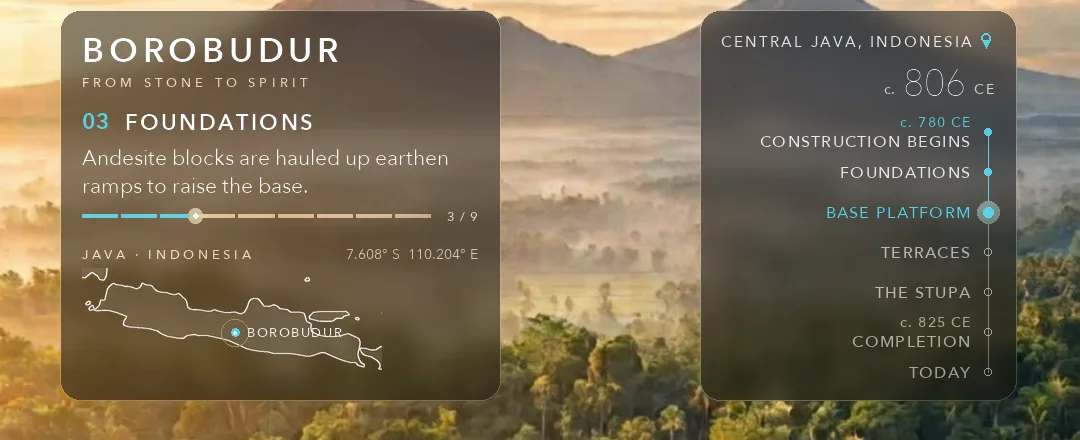
Then contrast. White type on pale sky through a soft halo measured 1.6–2.9:1. Frosted-glass panels (ffmpeg gblur under a rounded mask, plus a tint) at 38% tint measured 1.6:1; at 73%, 3.3–4.8:1. The owner settled on 47% for the look — but at least the number was on the table when he chose. On a phone 1 px is about 0.36 pt: 21 px body text is 8 pt. That is the floor.
6. Information should move, and then hold still
Every change in the HUD animates — typewriter in and out with a cursor, an odometer roll on the stage number, a timeline line that travels to the next node and ripples on arrival, a progress bar with a glowing head. That was the owner's ask ("a quick typewriter effect") and it reads as care.
But the first version of the opening card was "hard to read, it all happens pretty fast." The card was fully composed for 0.18 s before the next thing happened. The rule we set: any on-screen text is fully composed and still for at least 1.5 seconds before it changes. Animate the arrival, then leave it alone.
7. Payoff first, then rewind
Instagram decides in about a second. The strongest frame in a construction timelapse — the finished thing — arrives at second 20. So the video now opens on it: a two-second title card over the finished temple with the fact as the biggest text on screen, a singing bowl, then a two-frame white snap and a sixteen-frame rewind through the entire build — big jumps first, decelerating onto the opening frame, each frame blended 55% with the one before it for smear — while the card's title, location and map fly into their slots in the HUD.
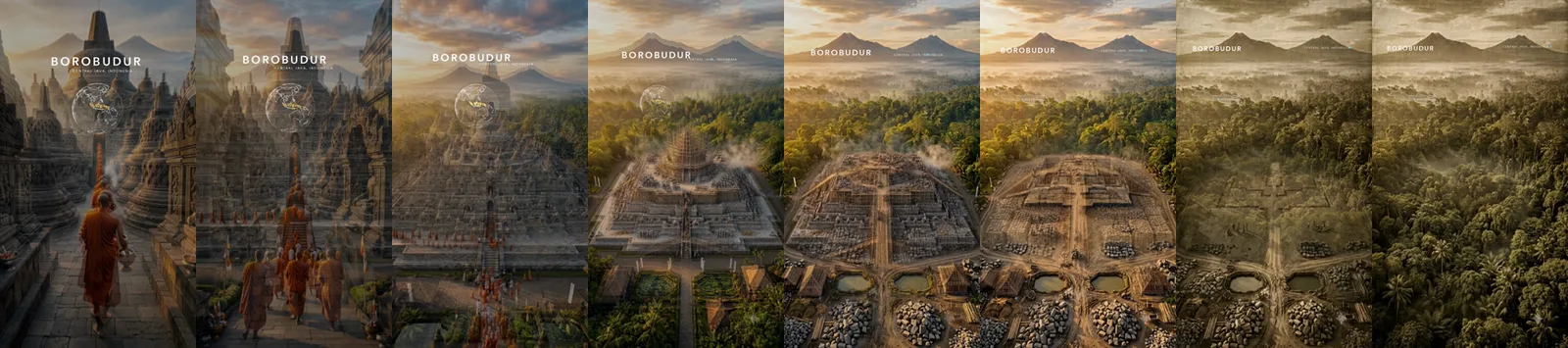
The HUD is rendered in a "handoff" mode so those three elements are already sitting in place at frame 0 and only the glass fades up under them. Verified by comparing centroids of the type in the intro's last frame and the HUD's first: within 1.5 px.

8. The encoder can undo your limiter
The loudness chain is loudnorm → alimiter (ceiling 0.85, 1 ms attack, level=disabled) → −0.6 dB, and it measured −2.6 dB peak on the mix. The delivered file measured +1.45 dB and clipped on decode. The singing bowl's strike at the very first sample is a hard transient, and AAC overshot it by 4 dB. Fix: a 60 ms fade-in on the strike, a pre-limiter on the intro, 256 kb/s — and measure the peak on the encoded file, because that is what a phone decodes. (alimiter without level=disabled also quietly re-normalises upward; we lost a render to that too.)
9. Make it loop exactly
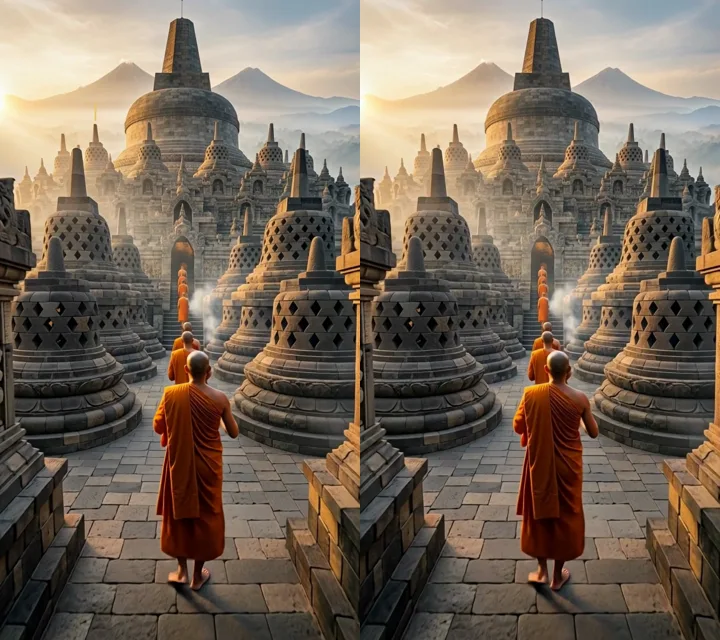
Instagram counts rewatches, and a reel loops. The video now ends on the exact frame it begins on: the ending clip is cut at the frame where the monk stops, that frame is pulled from the built video and used as the first frame of the title card, and the HUD dissolves over the last 0.7 s so the final frame is clean picture. First frame vs last frame: mean luma difference 1.6, 0.3% of pixels differ by more than 8, scattered evenly — H.264's own noise from encoding the same picture as an I-frame and a P-frame. As identical as a lossy file gets.
Two ffmpeg traps on the way: -sseof with -update 1 fails silently and leaves the old file in place (extract by frame index with select='eq(n,N)' and check the file exists), and the concat demuxer reorders streams when clips have audio-first stream order — use the concat filter.
10. It has to belong to somebody
Our most-shared video ever, the Golden Temple, went viral because Sikhs shared it as theirs. Borobudur's equivalent is Indonesians — so the caption carries a line in Bahasa Indonesia and the hashtags locals actually use, and one sentence connecting it to the channel's existing Indian audience (the Sailendra kings, Buddhism as India's export). Spectacle alone does not get shared; pride does.
The bill
52 API calls. $4.37 on motion (Kling v3 Pro, $0.112 per second), $0.28 on text-only sound effects, $0.09 on picture-conditioned audio, $0.03 on a voice sample we didn't use. The four days went on everything above, not on waiting for renders. The video goes up this week; we will come back and add what the numbers say.
Tools: fal.ai (nano-banana, Kling v3, MMAudio, ElevenLabs), ffmpeg, Python with PIL and numpy, Natural Earth coastlines for the map and globe.
What we make when we are not making videos
Tiny HabitsOne small habit at a time, and a plant that grows when you keep it On the App Store → Focus TimerFinish a session, raise a building On the App Store →Comments
No account needed — pick any name and say your piece.
Nothing here yet. Be the first.